
For Restaurants and Caterers
The Front and Back of House That Runs Itself.
A guest calls mid-rush and nobody picks up. An invoice never goes out. Stock runs out on a Friday. Cenvi handles the calls, the bookings, the paperwork and the counting, so your team can focus on the food. Live in 48 hours. We'll set it up for you
Hear it for yourself: call the Front Desk demo line at (350) 238-2147
Run by restaurants, and caterers
From the founder
Built in Atlanta, Around Real Kitchens.
Cenvi started because we watched restaurants and caterers lose real money to missed calls, payment screenshots, buried DMs and stock counts on scraps of paper. Hear why we built it, and who it's for.
Your Clients Earn Credit When They Book You Here
Corporate buyers like pharma reps, office managers and association organizers book through whichever channel pays them back. Every booking on Cenvi earns your client credit toward their next one. It costs you nothing, and it gives them a reason to come back to you instead of starting over somewhere else.
You Pay Nothing for It
The credit comes out of Cenvi's service fee, not your payout. You receive the full amount of every booking, exactly as you do today.
It Rewards the Person Who Books
The buyer sees what they will earn before they commit, so the repeat booking lands with you instead of drifting to whoever they call next.
It Builds With Every Booking
Credit accumulates and unlocks higher earn rates over time. The longer a client books through Cenvi, the more it costs them to go elsewhere.
They Can Cash It Out
Clients can trade their credit for a digital gift card from brands like Amazon, so the reward feels real from the first booking.
Rewards apply to bookings made through Cenvi, including from your own storefront. Program Terms.
Every Place Money Leaks Out, and How Cenvi Closes It
These are the four moments where a paying client quietly disappears. Here is what catches each one.
The inquiry gets buried
A serious client calls, texts, DMs, or gets referred to you. Then the request disappears into a full inbox before anyone sends the quote, and the client books the venue that answered first.
Front Desk catches it
Every inquiry lands in one queue with the date, guest count, venue, service type, and contact info already captured, so nothing waits on you being free to answer.
The job file is scattered
The date lives in WhatsApp, the contract sits in email, the deposit is a screenshot on your phone, and the menu notes are in your head. Putting a booking together means digging through five places.
One booking file keeps it together
The package, quote, date hold, deposit, balance, agreement, notes, and follow-up all stay attached to the same client, so the whole job is in one place.
The date status is unclear
Is this client still asking, already quoted, holding the date, deposit pending, booked, or done? That uncertainty loses revenue, and it is how a Saturday ends up double-booked.
The next step is always visible
Every booking moves through clear stages: inquiry, quoted, held, deposit pending, booked, completed. You can see at a glance which dates are real and which still need a nudge.
Stock and costs live in your head
Counts are on paper, prices change every week, and nobody knows what last month actually made until the accountant asks.
The back of house keeps itself
Inventory updates from your orders, ingredient prices update from stores near you, and profit lands in QuickBooks with payroll from Gusto.
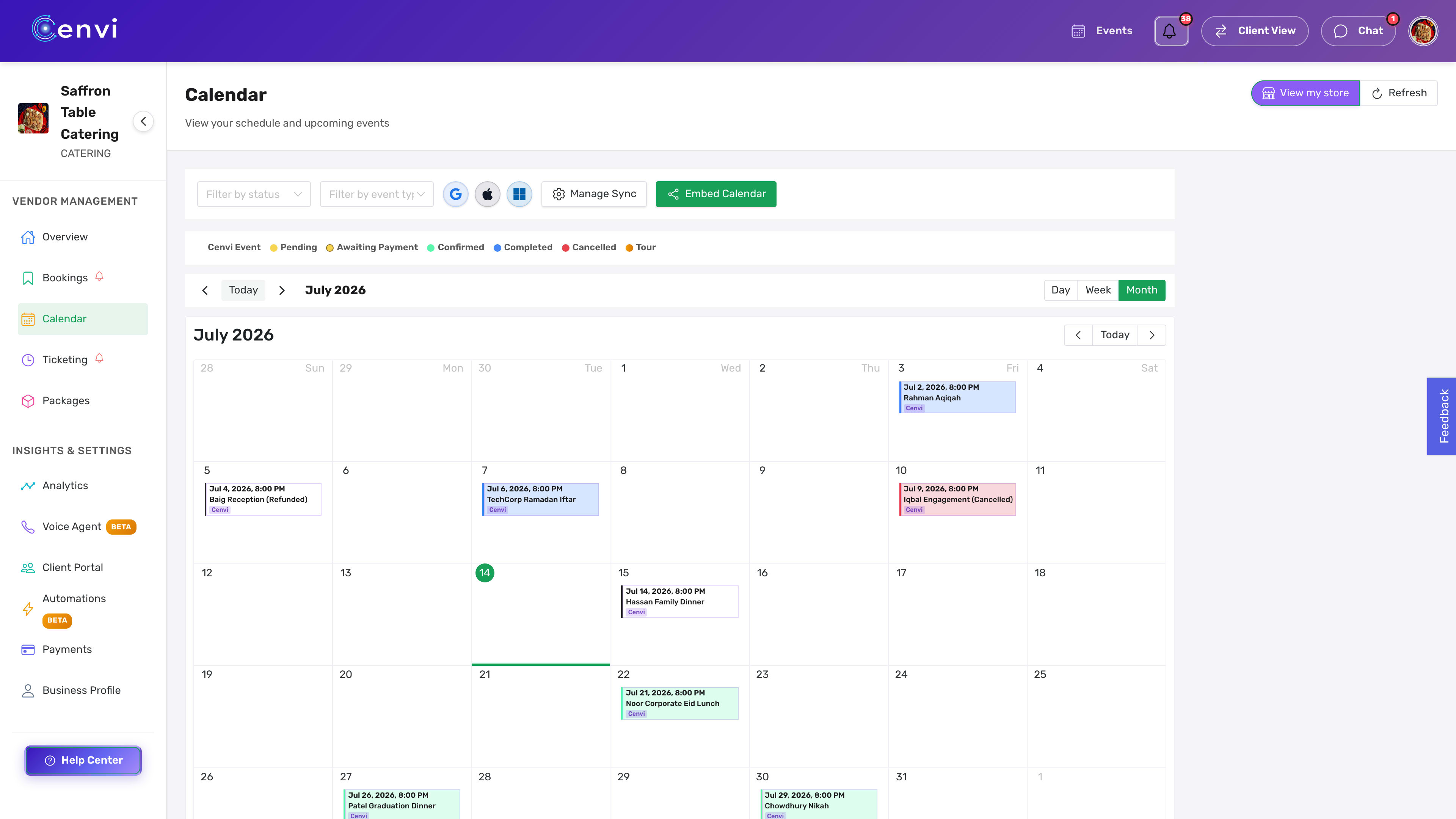
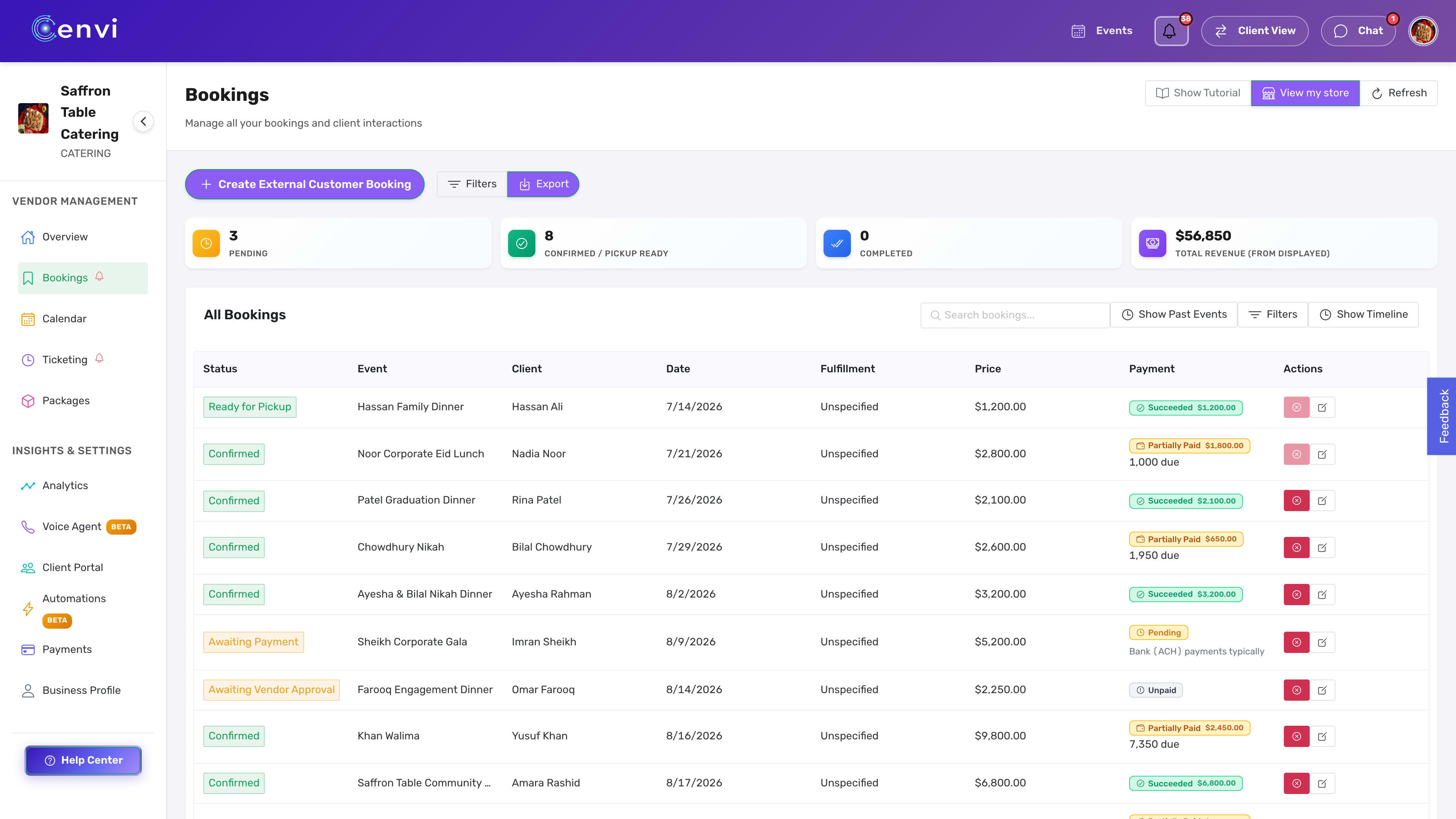
One booking, one file, start to finish
A catering order that came in on a Tuesday, tracked from first message to a held, paid date without leaving one screen.
Inquiry captured
Date, guest count, venue, and contact info logged the moment the client reaches out.
Date held
The Saturday is marked as held so no one else can book over it while the client decides.
Package attached
Your real package and quote sit on the booking, priced the way you already price it.
Deposit requested
A deposit request goes out and gets paid on the same booking, no screenshots to chase.
Shared event record
Every other vendor on the event sees the same timing and status for the day.
From inquiry to booked, without the parts you dread
The chasing, the guessing, and the lost threads are handled between these four steps.
Inquiry comes in
From your website, your Cenvi store, a phone call, a text, WhatsApp, Instagram or a referral. Wherever the guest found you, it lands in one place.
Cenvi asks the basics
Date, party size, menu, pickup or delivery, and contact info are captured up front, before any of it gets lost in a busy week.
You send the right next step
A package, a quote, a tour link, a contract, or a deposit request. One tap, sent to the client, saved on the booking.
The date is tracked
Status, deposit, balance, notes, and follow-ups all stay attached to the booking, so you always know where the date stands.
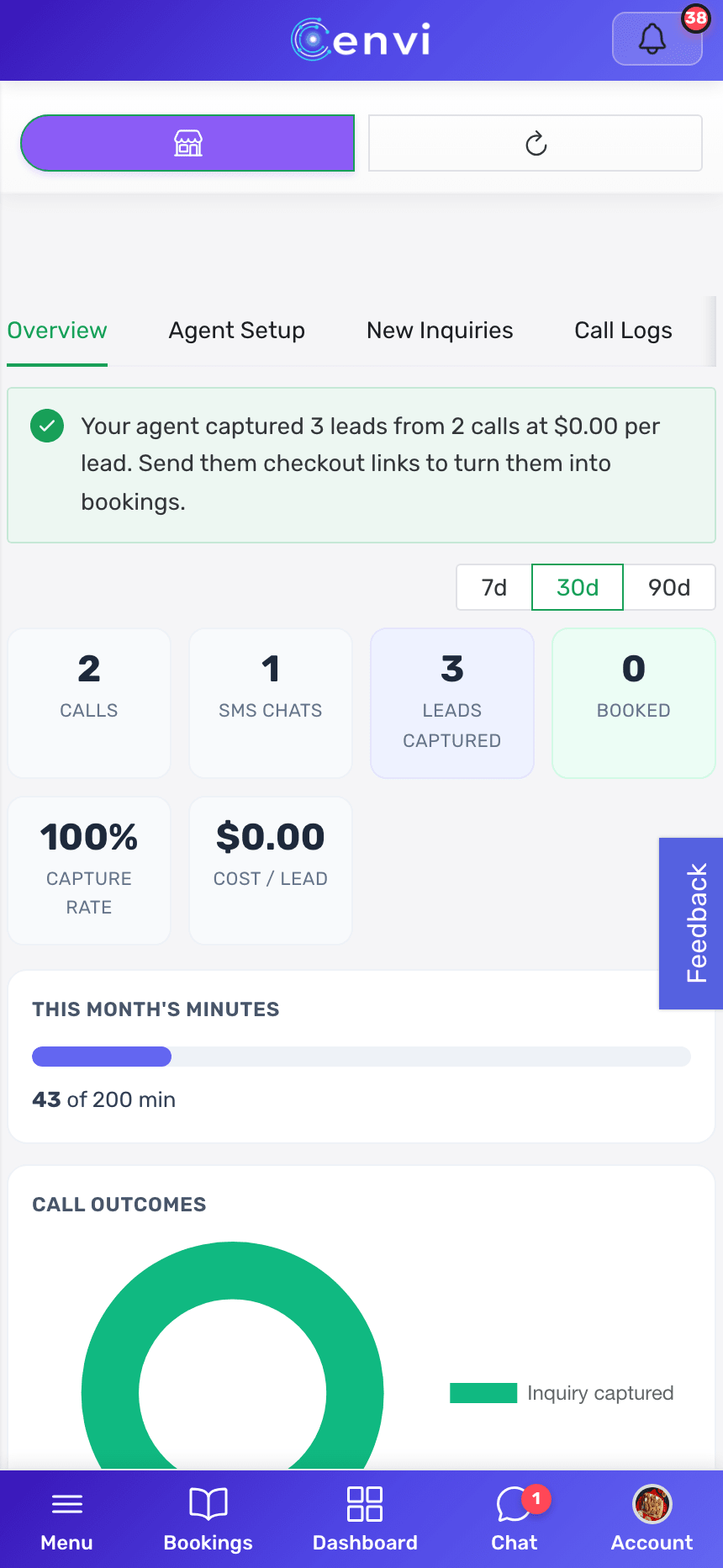
Your front desk is staffed at 11pm on a Tuesday
The after-hours inquiry that used to go to voicemail gets answered, quoted, and booked instead.
Cenvi Front Desk answers your calls and texts around the clock, quotes your real packages, and books only dates that are actually open. The corporate inquiry that calls while you are plating dinner for 300 gets answered, quoted, and booked instead of lost to voicemail.
Call the Front Desk demo line and hear it for yourself: (350) 238-2147

The room you seat people in is part of the booking
If you run a dining room, a banquet hall, or both, the floor plan and the seating capacity live in the same place as your bookings.
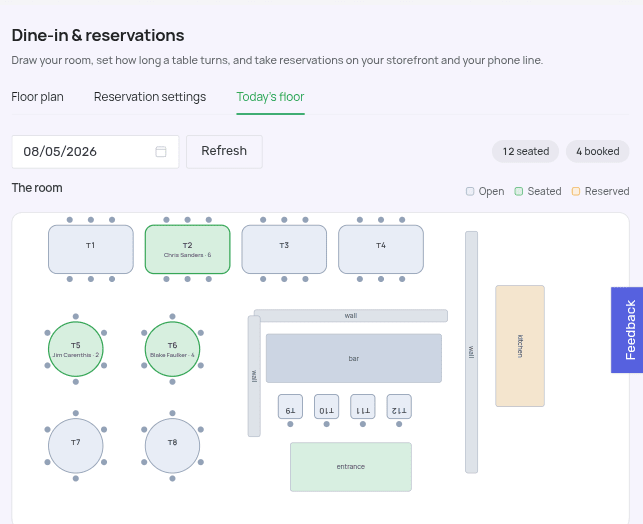
Dine-in reservations
Draw the room once. Take reservations everywhere.
Lay out your tables, bar, and patio on a floor plan, set how long a party of four sits versus a party of ten, and reservations come in from your storefront, or from the Front Desk phone line on Concierge. Tables that can be pushed together open up for larger parties automatically.
- Pacing caps, buffers, and lead time so the kitchen is never buried
- Walk-ins and a waitlist with quoted wait times
- Today's floor: who is seated, who is booked, who did not show
- Large-party rules that route the ten-top to your events team
Rooms and seating capacity
The room decides what you can take.
Every room you draw carries its own tables, seats, and covers per turn, and the booking window is built from that. A party of nine only gets a time if there is a table, or a pair of tables you allow to be pushed together, that actually seats nine.
- Multiple rooms and floors: main dining, mezzanine, patio, private room
- Seats, min party, and max party set per table
- Tables you allow to be combined open up for larger parties
- A cap on covers seated per time slot when the kitchen needs one
- Take a table out of service without losing it from the plan

The Back of House Runs on the Same Bookings
Money, people and stock come from the events you already booked in Cenvi, so nobody keys them in twice.
Finance
Know what each event actually made.
Profit and loss for any period, built from your bookings, payments, fees, refunds, crew labor and the expenses you add.
- Profit per event, not just revenue
- Sales, expenses, customers and payouts in one place
- Exports your accountant can open
Accounting and CRM sync
Your books and your CRM stay current on their own.
Connect once and every booking, payment and contact flows to the tools your team already uses.
- QuickBooks Online: sales, refunds, fees and payouts post themselves, with a backfill for past months
- HubSpot: contacts and bookings become contacts and deals, and edits flow back
Inventory and food cost
Order for the events you booked, not a guess.
Count stock by storage area from a phone, cost every recipe, and turn booked guest counts into prep lists and purchase orders.
- Counts, barcode scans and waste from the floor app
- Recipes with plate cost that follows your invoice prices
- Invoices read for you, with suppliers and purchase orders in one place
- Prep lists from the events on your calendar
Integrations
Works With the Tools You Already Run
Connect once from your dashboard. Your menu, books, contacts and payroll stay in step with Cenvi on their own, with nothing to re-type.
Point of Sale & Events
 SquareMenu and catalog import
 CloverMenu and catalog import
 TripleseatMenu and catalog import
Books, CRM & Payroll
 QuickBooksSales, fees and payouts post to your books
 HubSpotContacts and deals sync both ways

Works with what you already run
You do not retype your menu to get started.
Connect Square, Clover or Tripleseat once and your items, sizes and modifiers come across on their own. Nothing goes live until you have looked it over.
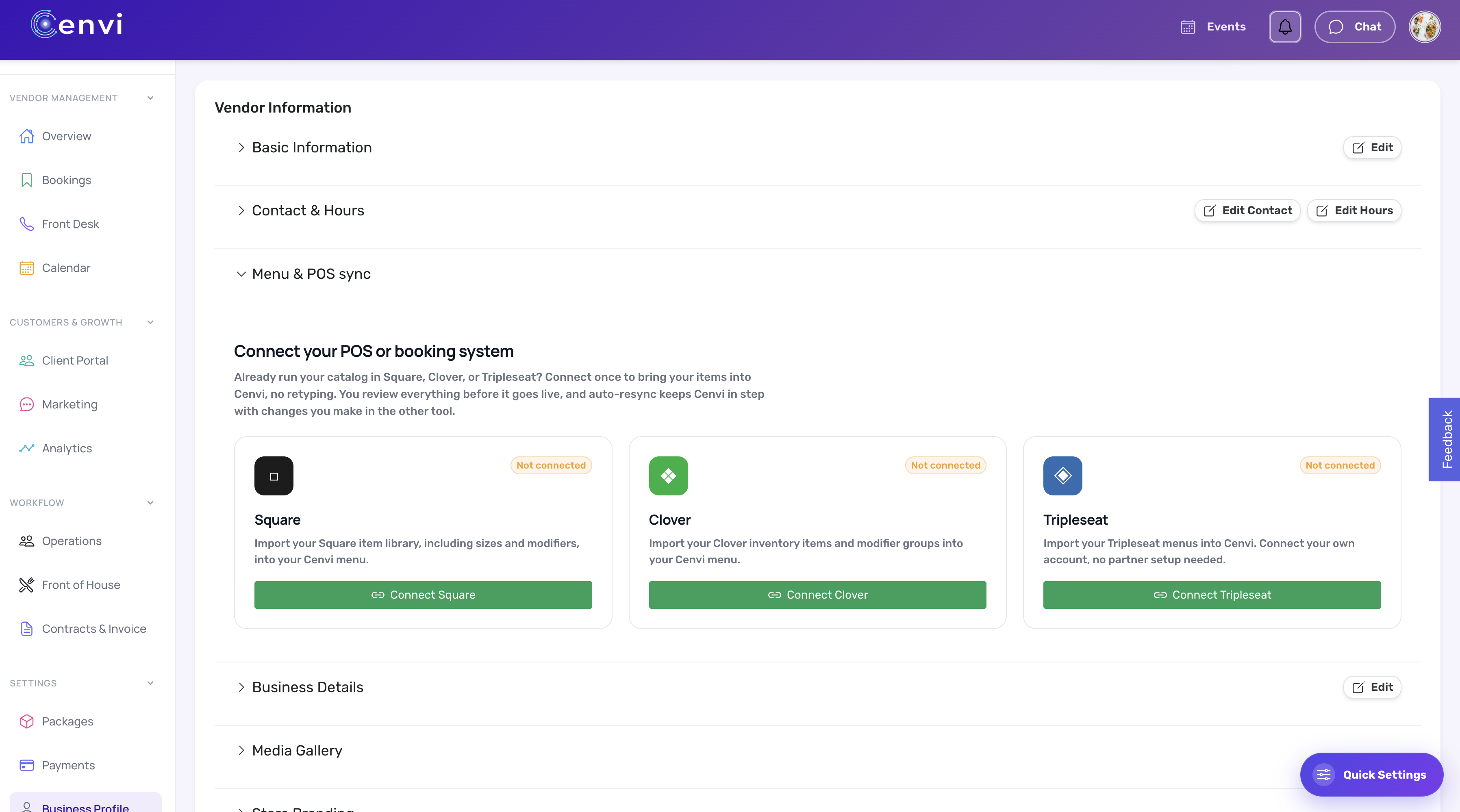
After that, auto-resync keeps the two in step, so a price you change in your POS is the price a client sees here.
Four guarantees, in writing
We make money when you do, and only then. Here is what that means on paper.
Booked-or-Free Month
Front Desk answers 20+ calls and books nothing, that month is free.
On Concierge, if Front Desk answers twenty or more calls in a month and not one of them turns into a booking, we credit that month back. Measured off your own call log, not a promise.
48-Hour Build Guarantee
Live in 48 hours, or your first month is free.
Your store, packages, calendar, contracts, and payments go live within 48 hours of your Stripe account clearing and us receiving your materials, or your first month is on us. We build whichever of those pieces you want set up. You can also start with a 7-day free trial and decide before you pay a dollar.
Marketplace Credit
Your subscription is free any month we send you a booking.
If Cenvi sources a marketplace booking for you in a given month, we credit that month's subscription fee back against your plan. The only month you pay full price is a month we did not earn it.
Support Guarantee
A real human, one hour, every business day.
One-hour response during business hours (Mon-Fri, 9am-6pm ET). 24-hour customer service. 48-hour resolution target. Your account has a name and a phone number, not a ticket queue.
15 minutes. No pitch deck.
We will look at your current calendar, your last month of bookings, and what your numbers would look like on Cenvi. If it is not a fit, we will tell you honestly. If it is, we set it up for you within 48 hours.
Or book a 30-min intro call. Prefer to text? Message us on WhatsApp.
See what restaurants and caterers have actually done on Cenvi →
Not ready for a call?
Get the 2-minute worksheet: what your current platform fees and missed calls cost per month, and the break-even math on switching. We’ll email it. No meeting, no pitch.
Frequently Asked Questions
What is Cenvi?
Cenvi is the autonomous front and back of house for restaurants and caterers. It answers calls and texts, takes orders and reservations, sends contracts and invoices, keeps inventory and ingredient prices current, and syncs your money with QuickBooks and Gusto, all in one place.
What does Cenvi Front Desk do?
Front Desk answers your calls and texts day and night, quotes your real packages, and books only the dates that are actually open. The inquiry that comes in while you are working an event gets captured, quoted, and booked instead of going to voicemail.
How does the Marketplace Credit work?
If Cenvi sends you a marketplace booking in a given month, we credit that month's subscription fee back against your plan. In practice that means your paid plan is free any month we actually deliver - you only pay full price the months we did not earn it.
What does the 48-Hour Build Guarantee actually cover?
Once your Stripe account clears and we receive your materials - packages, pricing, calendar, terms - we build your store, embedded calendar, contracts, and payments for you within 48 hours. The guarantee covers whichever of those pieces you want set up. If we miss that window, your first month is free. You can also start with a 7-day free trial before you pay anything.
What does the free plan look like vs. paid?
Free plan: 10% commission on bookings Cenvi sends you, 5% on the ones you bring yourself. Paid plan (from $49/mo): 10% on Cenvi-sourced bookings, 0% on your direct bookings, plus the Marketplace Credit. If you are booking more than ~$980/mo directly, the paid plan pays for itself.
Can I take dine-in reservations through Cenvi?
Yes. It is included with Concierge and above, and you can add it to any other paid plan for $29/mo. Draw your dining room on a floor plan, set how long each party size sits, and take reservations from your storefront. Reservations by phone come from the Front Desk line, which is part of Concierge. Walk-ins, a waitlist, pacing caps, and large-party rules are all part of it, and the day view shows who is seated, who is booked, and who did not show.
How does Cenvi handle room capacity and seating?
Capacity comes from the room you drew. Each table carries its seats and its min and max party size, and the room totals its tables, seats, and covers per turn. A reservation only gets a time if a table, or a pair of tables you allow to be pushed together, actually seats that party. You can run several rooms and floors, cap covers per time slot, and take a table out of service without removing it from the plan.
Can I manage multiple venues or brands under one account?
Yes. Fleet management lets you run multiple stores under one login - unified analytics, master calendar, payments per store, and team roles. Built for hall groups and catering companies operating multiple locations.
What if I'm not technical?
You don't have to be. Setup is concierge - we do it for you. Once it's live, if you can send a WhatsApp message, you can use Cenvi.